
Stuck with “Uncaught addEventListener JavaScript TypeError”? Here’s the Quick Fix You Need!
Stuck with “Uncaught addEventListener JavaScript TypeError”? Here’s the Quick Fix You Need!
If you’ve ever spent hours staring at your code wondering why it keeps throwing a frustrating error, you’re not alone! I recently hit a wall with the
dreaded Uncaught TypeError: Cannot read property addEventListener of null in JavaScript. And let me tell you, it was a head-scratcher. But guess
what? The solution was so simple, I couldn’t believe how much time I wasted trying to figure it out.
So, if you’re stuck in the same boat, don’t worry I’m here to save you the headache and show you exactly how I fixed it. Spoiler alert: It all comes down to where you put your <script> tag.
What’s the Deal with This Error ?
You know that moment when you run your code and everything seems right, but your browser throws this in your face:
Uncaught TypeError: Cannot read property addEventListener of null
Super annoying, right ? This happens when you try to attach an `addEventListener` to an element that your browser hasn’t even loaded yet. In other words, your JavaScript is too quick for your HTML.
The Common Mistake: Loading JavaScript Too Soon
Here’s what’s probably happening: Your JavaScript is firing off *before* your HTML elements are ready. For instance, let’s say you have a button
and you’re trying to add an event listener to it. If the browser hasn’t rendered that button yet, your JavaScript is like, “Button? What button?!” and throws an error.
Check out this example:
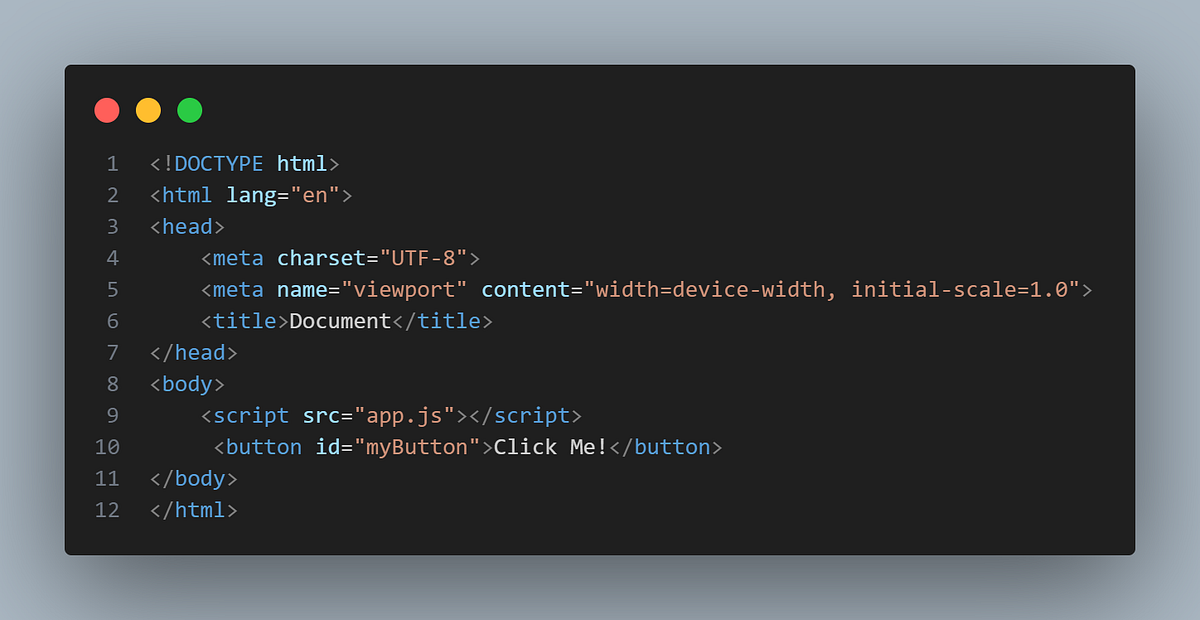
Here, the `<script>` is running before the button even exists in the DOM. No wonder JavaScript can’t find it!
The Quick Fix: Move the `<script>` Tag!
The solution is refreshingly simple — move your `<script>` tag to the bottom of your HTML file. This makes sure the DOM elements (like your
button) are fully loaded *before* JavaScript tries to interact with them. Check out the fix:
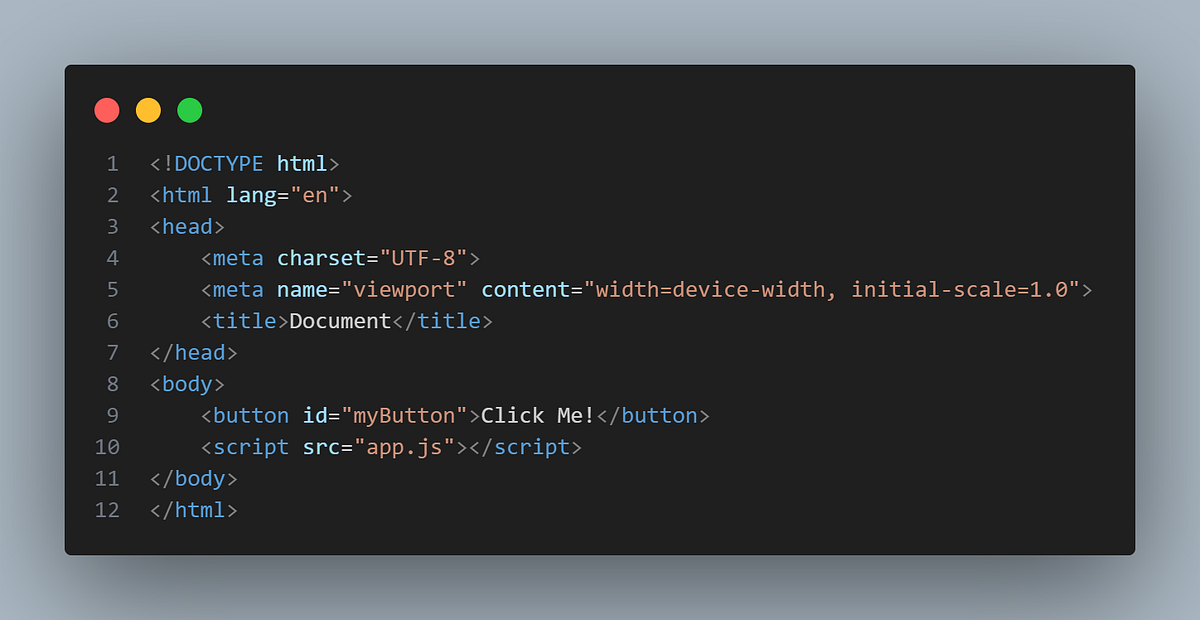
Boom! Problem solved.
Why Does This Work ?
By putting the script at the bottom, you’re telling the browser, “Hey, render the entire page first. Then, I’ll let you run the JavaScript.” This way, when your script tries to find that button, it’s already there!
Want to Keep Your `<script>` at the Top ? No Problem!
Sometimes, you may want to keep your `<script>` tag at the top for cleaner code or other reasons. In that case, you can use the `DOMContentLoaded`
event, which tells the browser to wait until everything is loaded before running your JavaScript.
Here’s how:
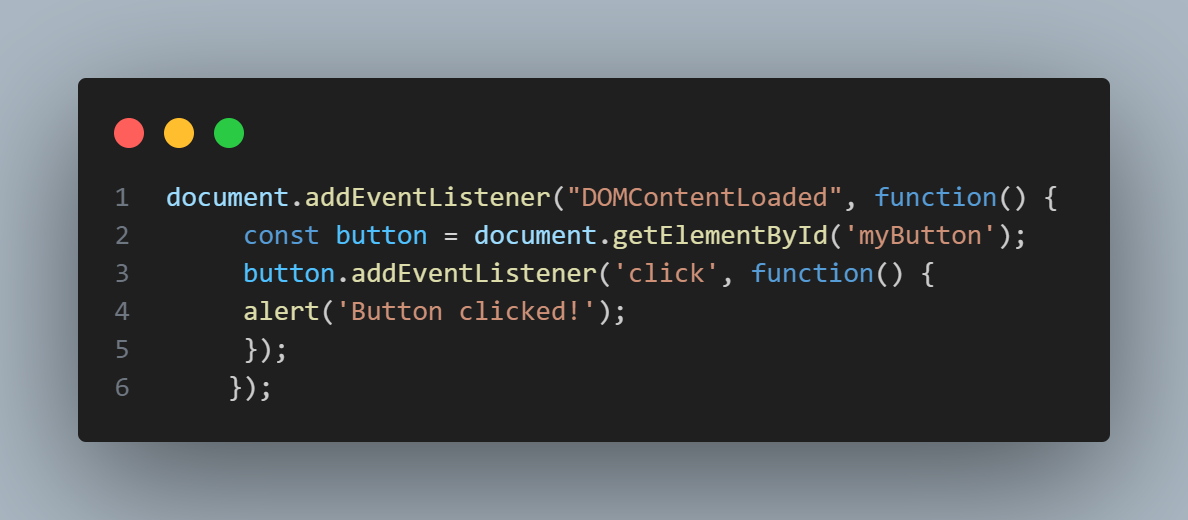
With this method, you can keep the `<script>` at the top, and the code will still work like a charm!
Why Understanding This Error Matters:
Errors like this one aren’t just little annoyances they can actually teach you a lot about how browsers load HTML and JavaScript. Knowing when your
code runs and how to control it will save you tons of time and frustration in the future.
The Bottom Line:
If you’ve been battling the Uncaught TypeError: Cannot read property ‘addEventListener’ of null error, you now know how to fix it with just a
simple tweak. By moving your `<script>` tag to the end of your HTML or using `DOMContentLoaded`, you’ll prevent JavaScript from jumping the
gun and trying to interact with elements that don’t exist yet.
Don’t let a simple error trip you up for hours. Tweak your script placement, and move on to building that awesome app!