
🔍Master Sorting with qsort in C: A Step-by-Step Guide with Example
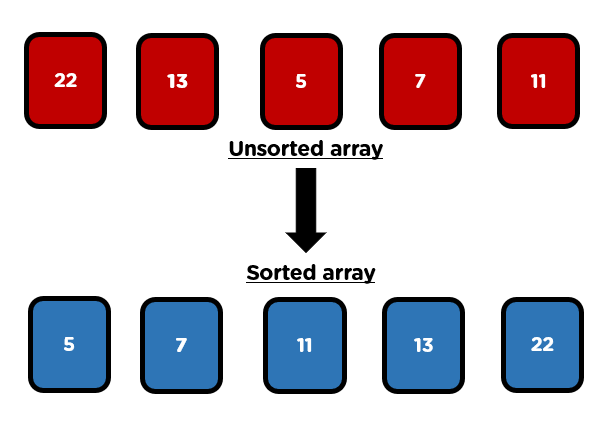
Sorting is a crucial task in programming, and if you’re coding in C, the qsort function is your go-to tool for sorting arrays efficiently.
In this blog, we’ll dive deeper into how qsort works, explain the importance of the comparison function, and show you how to use it with a simple example.
Let’s break it down step-by-step! 🚀
What is qsort ? 🤔
qsort is a built-in C function that performs sorting based on the quicksort algorithm. It’s highly efficient and can handle large datasets,
making it a favorite for sorting tasks in C programming. The best part? You don't need to write a sorting algorithm from scratch,qsort does it for you!
How Does qsort Work?
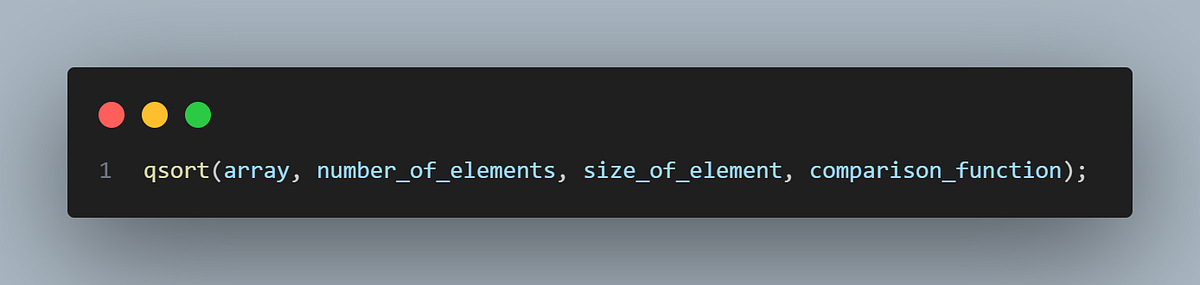
The qsort function requires four parameters:
- Pointer to the array: This is the starting point of the array you want to sort.
- Number of elements: This tells
qsorthow many elements it needs to sort. - Size of each element: You must specify the size of each element in the array. For example, if you’re sorting integers, it’s
sizeof(int). - Comparison function: This is the most critical part. The comparison function decides the order in which elements should be sorted.
Here’s the syntax for qsort:
The Role of the Comparison Function 🧠
The comparison function is what makes qsort flexible and powerful. This function defines how two elements should be compared and tells qsort whether to swap them or not. It takes two arguments, both of which are pointers to the elements being compared. Based on the comparison, the function returns:
- Negative value: If the first element should appear before the second (i.e., the first is smaller).
- Zero: If both elements are equal.
- Positive value: If the first element should appear after the second (i.e., the first is larger).
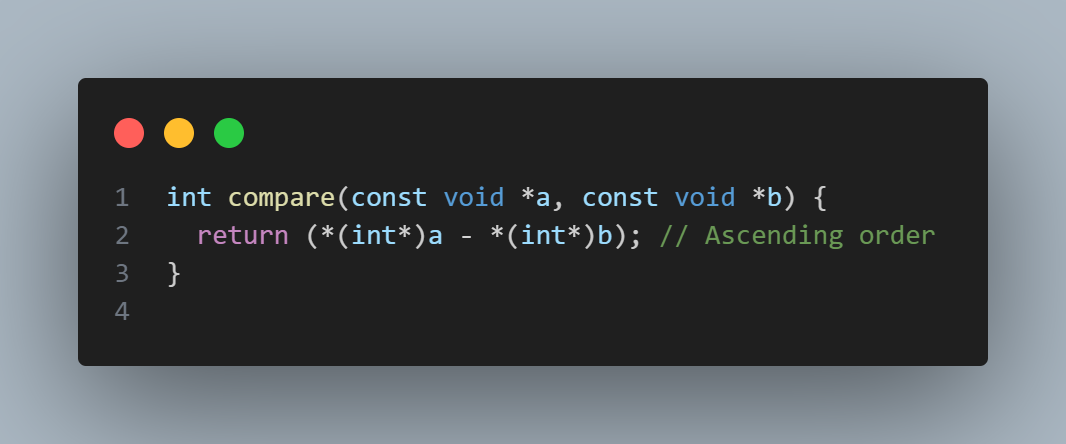
Example Comparison Function for Sorting Integers in Ascending Order :
Explanation:
const void *aandconst void *bare pointers to the elements being compared. Sinceqsortworks with any data type, it usesvoid*, which is a generic pointer type.- We cast these pointers to
int*because we know we're working with integers. - Finally, we dereference the pointers (
*(int*)aand*(int*)b) to get the actual integer values and return their difference.
Let’s break down the return statement:
- If
*(int*)a(the first integer) is smaller than*(int*)b(the second integer), the result is negative. This tellsqsortto placeabeforeb. - If
*(int*)ais larger than*(int*)b, the result is positive, soqsortwill placeaafterb. - If the two values are equal, the result is
0, meaning no change in order is needed.
This logic ensures that the array is sorted in ascending order 🔼.
Sorting in Descending Order 🔽:
What if you want to sort the numbers in descending order? You simply need to flip the comparison logic:
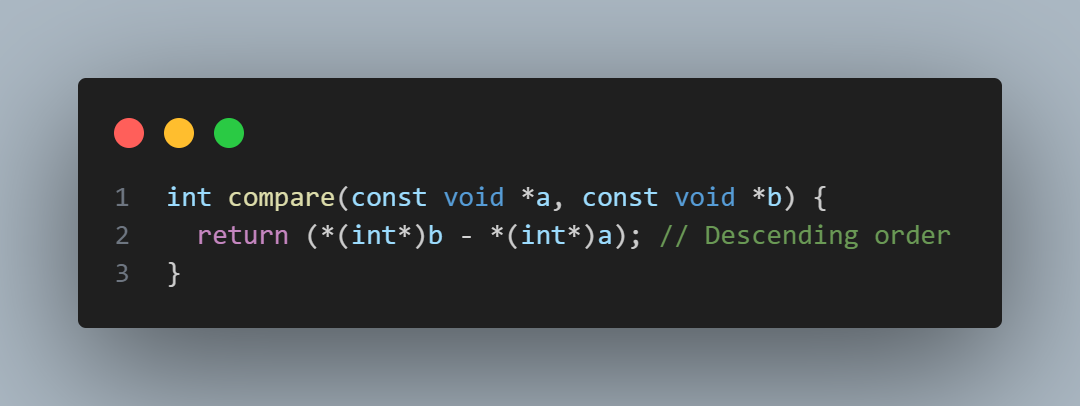
By subtracting *(int*)a from *(int*)b, we reverse the order: larger numbers will come first, and smaller numbers will follow.
Putting It All Together 🧩
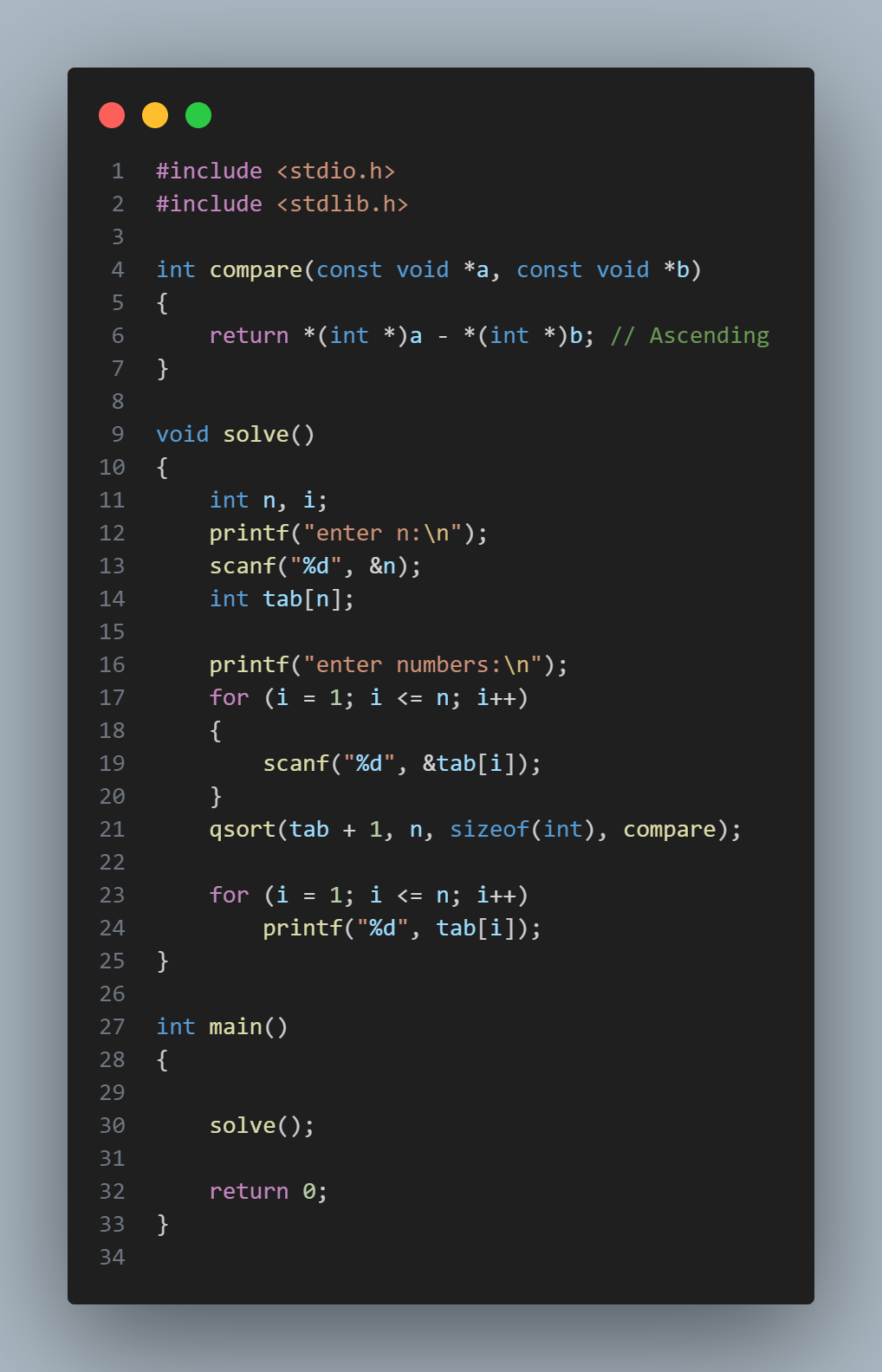
Now that we understand the comparison function, let’s see how qsort uses it in a full example:
Output Example 🖨️
Let’s say the user inputs 4 numbers: 3, 1, 5, 2.
Here’s how the program would work:
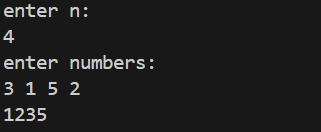
As you can see, the numbers are sorted in ascending order! 🎉
How qsort Works in This Example 🔧
- We pass the array
tab + 1toqsort. Whytab + 1? In this example, we are treating the array as 1-based (starting fromtab[1]). If you want to use a traditional 0-based array, you can passtabinstead. ntellsqsorthow many elements to sort.sizeof(int)informsqsortthat each element is an integer.- The
comparefunction tellsqsortto sort the array in ascending order.
Why Use qsort? 🧐
- It Saves Time: No need to write your own sorting algorithm — just use
qsort. - It’s Flexible: You can sort integers, floats, strings, or even complex data structures.
- It’s Efficient:
qsortis built on the quicksort algorithm, which is one of the fastest sorting algorithms out there.
Conclusion 🎯
qsort is a powerful function that saves you from writing sorting algorithms from scratch. By writing a custom comparison function, you can sort data in any order you want—ascending, descending, or even based on custom rules. Once you master this function, you’ll be able to sort arrays quickly and efficiently in your C programs.
Try this code out, and feel free to adjust the comparison function for different sorting needs. Happy coding! 💻